Forum Replies Created
-
AuthorPosts
-
August 6, 2024 at 11:19 am in reply to: How to implement Predictive Maintenance base on Rapid SCADA #15098
 MikhailModerator
Hi,
Using Rapid SCADA you can collect data from various devices, store data into a database, and display to an operator. I suggest to start from watching video lessons and reading docs (link).
MikhailModeratorHi,
1. When creating a time trigger, you can enter time with seconds. If it’s doesn’t work for you, please provide a screenshot.
2. If it should repeat not too fast, you can enter many times of day in the trigger options. Alternatively, you should create a channel that changes from 0 to 1 every X minutes, and create a data trigger that reacts on the channel.
MikhailModeratorHi,
Try creating a time trigger in Automatic Control Module. Use the Delay parameter of commands to send them as a sequence.
MikhailModeratorPlease provide links to screenshots.
MikhailModerator> Is there any way one can support you?
Purchase of any additional modules is appreciated.MikhailModeratorHi,
Automatic Control Module is useful when you need to send commands according to conditions.
First, connect the equipment and try sending commands manually. After you make it work, use ACM.MikhailModeratorIn Visual Studio 2022 Community when create a new project.
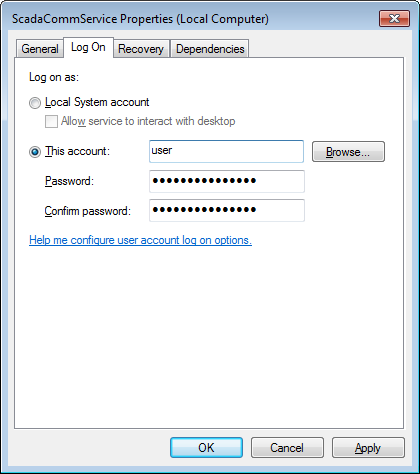
MikhailModeratorYou should try the setup the ScadaComm6 service to work as the OPCSrv user. See this.
It’s enough to restart Communicator that works as a service or application.MikhailModeratorHi,
If you didn’t change the port during installation, use the method described above.MikhailModeratorI could not understand how to try the B Format as there is no option for B.
In the Formats table add a new format. I’m not sure that B will work, however, it worth to try.
MikhailModeratorI didn’t know there was a binary display format
It was added in .NET8. I’ve never tried it before.
Chart Pro falls on the string variable – a white screen
It cannot display graph of a string.
MikhailModerator2024-07-29 13:30:51 [OPC-WINCC][OPC-WINCC$][ACT] Data source ScadaServer: Receive the configuration database 2024-07-29 13:30:53 [OPC-WINCC][OPCSrv][ACT] Data source ScadaServer: Connection state is Logged In
Looks like the ScadaComm6 service is not stopped. Users OPC-WINCC$ and OPCSrv are mixed in the log file.
MikhailModeratorJuly 29, 2024 at 9:32 am in reply to: “Service control command failed” When uploading configuration #15059MikhailModeratorThe above post is not related to the topic. Please search for existing topics about Modbus. Probably, it’s already solved.
MikhailModeratorAlso hexadecimal format would be useful.
-
AuthorPosts