Forum Replies Created
-
AuthorPosts
-
 MikhailModerator
You should allow incoming connections for the TCP port 10002 in the settings of Windows firewall to enable access to Agent.
MikhailModeratorHi,
The existing Link component allows to redirect to another scheme where you can put needed components. It is planned to add a popup dialogs feature for links in this year.MikhailModeratorYou can do a trick:
1. Create a folder C:\SCADA\ScadaWeb\plugins\SchBasicComp\lang\
2. Copy the PlgSchBasicComp.en-GB.xml into this folder.The fix of this bug will be included in the next version of Rapid SCADA.
MikhailModeratorThe web app must be in C:\SCADA\ScadaWeb because of this bug. Is it?
MikhailModeratorControl RAM on Linux. Agent uses WCF technology that has a memory leak bug on Mono .NET Framework.
MikhailModeratorI suppose, the cause is your localization. I reproduced the bug. What culture did you set for Rapid SCADA?
MikhailModeratorYes, you right.
Thank you.MikhailModeratorHi,
First, it’s needed to implement math algorithm. It is better to develop a module for the Server app.
Then, configure user interface. How do think, to display it?
Do you mean PID like this?MikhailModeratorAnyway, this is strange.
What version of Windows do you use?Is it possible to try Webstation and Scheme Editor on another computer just for test?
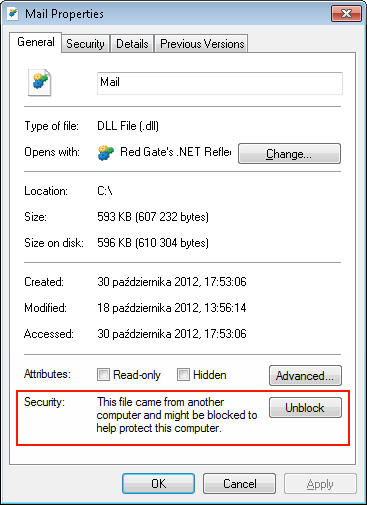
MikhailModeratorTry updating ScadaSchemeCommon.dll.
Copy it in C:\SCADA\ScadaWeb\binPlease tell about the result.
-
This reply was modified 8 years, 5 months ago by
 Mikhail.
MikhailModeratorThank you 🙂
MikhailModeratorYes. You should use Random class.
In the Formulas table add a variable:
Random rand = new Random();Then use it in an input channel, for example:
rand.NextDouble()MikhailModeratorYes, you have to create cnlFilter object before executing getCurCnlDataExt. Could you create a new topic for your issue, because this is “New ideas” subforum?
Example is here.MikhailModeratorHi,
You need the Webstation app installed, because the components are the part of the web application.
Also check log of Scheme Editor in C:\SCADA\ScadaSchemeEditor\Log -
This reply was modified 8 years, 5 months ago by
-
AuthorPosts