Forum Replies Created
-
AuthorPosts
-
Gabor
ParticipantUPDATE:
The problem is now solved.
There was a need for a remote-fix/update from the supplier, so basically the RapidScada setup was good.
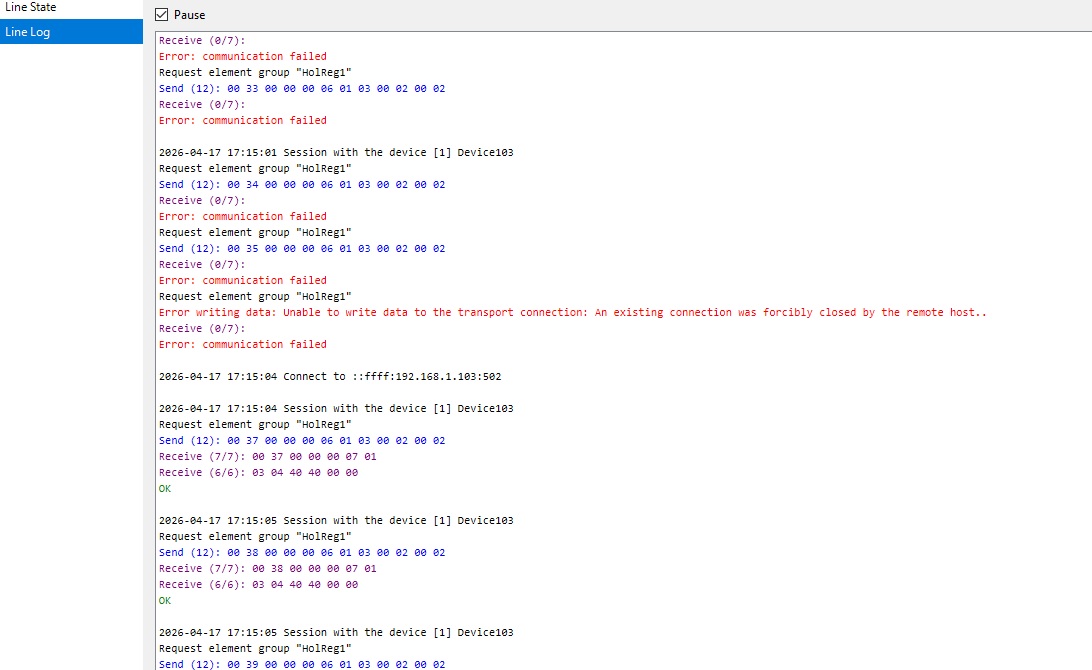
The device(s) needed “parsing fix for the request”.Catching the moment when the Update was done…and started to receive data:
https://i.postimg.cc/1tnb5NDS/update.jpgThanks again for the support guys! I appreciated every help and comment!
GaborParticipantYes, will definitely give update about this as soon I have anything new to share.. But still struggling with the connection failed error. Probably will contact the supplier.. Still having the Fin-Rst missing from the tcp communication.
ParticipantI used a Port Scanner: server has port 80 and 502 open. My laptop/client does not have 502 port open, but it seems it is not needed, found this site which explains it nicely:
https://scadaprotocols.com/modbus-tcp-ip-port-502-iana
So its normal to use ephemeral port to connect.
Will do some more troubleshooting with wireshark, because it looks like the 3way handshake is done,but no data is communicated.ParticipantManjey: Do you mean this log after restarting the line?
https://postimg.cc/xckShQMrThe connection is already established with the wrong port:
https://postimg.cc/Mnxjt9fGHowever, I cannot connect to the port 502 on localhost, using telnet.
Connecting To 192.168.1.100…Could not open connection to the host, on port 502: Connect failed
C:\WINDOWS\system32>telnet 127.0.0.1 502
Connecting To 127.0.0.1…Could not open connection to the host, on port 502: Connect failedif anyone has an idea how to free up this port..?
ParticipantThank you for the responses! Yes, will check why it is not using port 502,maybe some other application took that port.
Manjey: will send it soon..
Jurassk: it can be zero according to documentation:
Time and Period If both options are zero, the device is polled continuously and cyclically. If the time is specified and the period is zero, the device is polled once a day at the specified time. If the period is greater than zero, the device is polled periodically, starting at the specified time.ParticipantSorry i think there is a confusion: it is a home setup,where ip100 is requesting communication and data from ip106 (target modbus device).So the modbus device responds correctly from port 502 to port 50060,because initially the request was from port 50060 to port 502. I just assumed rapid scada already setup the port 502 for modbus communication, and can’t understand where this 50060 is coming from.. So as far I understand both unit should use port502..?
ParticipantNow I checked it,and originally it is sending that Modbus request from that port. How can I change that to 502?
ParticipantFrame 170750: Packet, 60 bytes on wire (480 bits), 60 bytes captured (480 bits) on interface \Device\NPF_{F2678167-79C5-471E-B087-1B9E7024FEE4}, id 0
Section number: 1
Interface id: 0 (\Device\NPF_{F2678167-79C5-471E-B087-1B9E7024FEE4})
Encapsulation type: Ethernet (1)
Arrival Time: Apr 13, 2026 21:41:59.747783900 GMT Daylight Time
UTC Arrival Time: Apr 13, 2026 20:41:59.747783900 UTC
Epoch Arrival Time: 1776112919.747783900
[Time shift for this packet: 0.000000000 seconds]
[Time delta from previous captured frame: 92.127100 milliseconds]
[Time delta from previous displayed frame: 92.127100 milliseconds]
[Time since reference or first frame: 2 hours, 43 minutes, 42.354718200 seconds]
Frame Number: 170750
Frame Length: 60 bytes (480 bits)
Capture Length: 60 bytes (480 bits)
[Frame is marked: False]
[Frame is ignored: False]
[Protocols in frame: eth:ethertype:ip:tcp]
Character encoding: ASCII (0)
[Coloring Rule Name: TCP]
[Coloring Rule String: tcp]
Ethernet II, Src: Espressif_80:6d:97 (b8:d6:1a:80:6d:97), Dst: Intel_19:e8:ad (e8:b1:fc:19:e8:ad)
Destination: Intel_19:e8:ad (e8:b1:fc:19:e8:ad)
…. ..0. …. …. …. …. = LG bit: Globally unique address (factory default)
…. …0 …. …. …. …. = IG bit: Individual address (unicast)
Source: Espressif_80:6d:97 (b8:d6:1a:80:6d:97)
…. ..0. …. …. …. …. = LG bit: Globally unique address (factory default)
…. …0 …. …. …. …. = IG bit: Individual address (unicast)
Type: IPv4 (0x0800)
[Stream index: 24]
Padding: 000000000000
Internet Protocol Version 4, Src: 192.168.1.106, Dst: 192.168.1.100
0100 …. = Version: 4
…. 0101 = Header Length: 20 bytes (5)
Differentiated Services Field: 0x00 (DSCP: CS0, ECN: Not-ECT)
Total Length: 40
Identification: 0x02c1 (705)
000. …. = Flags: 0x0
…0 0000 0000 0000 = Fragment Offset: 0
Time to Live: 255
Protocol: TCP (6)
Header Checksum: 0x34f0 [validation disabled]
[Header checksum status: Unverified]
Source Address: 192.168.1.106
Destination Address: 192.168.1.100
[Stream index: 59]
Transmission Control Protocol, Src Port: 502, Dst Port: 50060, Seq: 1, Ack: 2617, Len: 0
Source Port: 502
Destination Port: 50060
[Stream index: 287]
[Stream Packet Number: 440]
[Conversation completeness: Incomplete, DATA (15)]
..0. …. = RST: Absent
…0 …. = FIN: Absent
…. 1… = Data: Present
…. .1.. = ACK: Present
…. ..1. = SYN-ACK: Present
…. …1 = SYN: Present
[Completeness Flags: ··DASS]
[TCP Segment Len: 0]
Sequence Number: 1 (relative sequence number)
Sequence Number (raw): 3560975033
[Next Sequence Number: 1 (relative sequence number)]
Acknowledgment Number: 2617 (relative ack number)
Acknowledgment number (raw): 2177597505
0101 …. = Header Length: 20 bytes (5)
Flags: 0x010 (ACK)
000. …. …. = Reserved: Not set
…0 …. …. = Accurate ECN: Not set
…. 0… …. = Congestion Window Reduced: Not set
…. .0.. …. = ECN-Echo: Not set
…. ..0. …. = Urgent: Not set
…. …1 …. = Acknowledgment: Set
…. …. 0… = Push: Not set
…. …. .0.. = Reset: Not set
…. …. ..0. = Syn: Not set
…. …. …0 = Fin: Not set
[TCP Flags: ·······A····]
Window: 3128
[Calculated window size: 3128]
[Window size scaling factor: -2 (no window scaling used)]
Checksum: 0x58f4 [unverified]
[Checksum Status: Unverified]
Urgent Pointer: 0
[Timestamps]
[Time since first frame in this TCP stream: 4 minutes, 29.500762100 seconds]
[Time since previous frame in this TCP stream: 92.127100 milliseconds]
[SEQ/ACK analysis]
[This is an ACK to the segment in frame: 170749]
[The RTT to ACK the segment was: 92.127100 milliseconds]
[iRTT: 6.205400 milliseconds]
[Client Contiguous Streams: 1]
[Server Contiguous Streams: 1]
……
This was the repsonse. Not sure what to input to the parser..ParticipantHello, sorry but it didn’t work.. I tried all the possible device IDs (i can think of), but couldn’t make the connection. Investigated with Wireshark, and noticed after the Modbus/TCP query there is the TCP response from the unit, but with the following:
Conversation Completeness: Incomplete, DATA(15)
RST: Absent
FIN: Absent
..the rest is Present. So now I am not sure whether it is still depending on the wrong device ID, or something else (firewall,lost packets,etc.)ParticipantHi Mikhail! Thank you for your help. Ok, I will try to change device ID..once I am back to the device in the afternoon. Yes, I have already tried the modbus parser, but could only do for the request as there were no response. So there were not much to decode, but understood the structure of the packet.
ParticipantUnfortunately I am not familiar with sending broadcast address,etc. The device documentation is very poor,or lets say simple (as per above): Zero Based Addresses for Holding registers (I received the register mapping), static IPs for the devices. But I think I have to dive deeper into this.
ParticipantYes I tried with one register,and had same result. Thanks, I will try to change the device ID,maybe it is not 1. I assume I should change the Numeric Address in the device settings.. The device itself has Zero based Addresses, starting with a 32bit unsigned integer for Timestamp,the other holding registers are float type. Requesting the wrong type,address,etc. could also cause “Error:Communication failed” message?
ParticipantYeah.. I will try next to get more info with Wireshark.
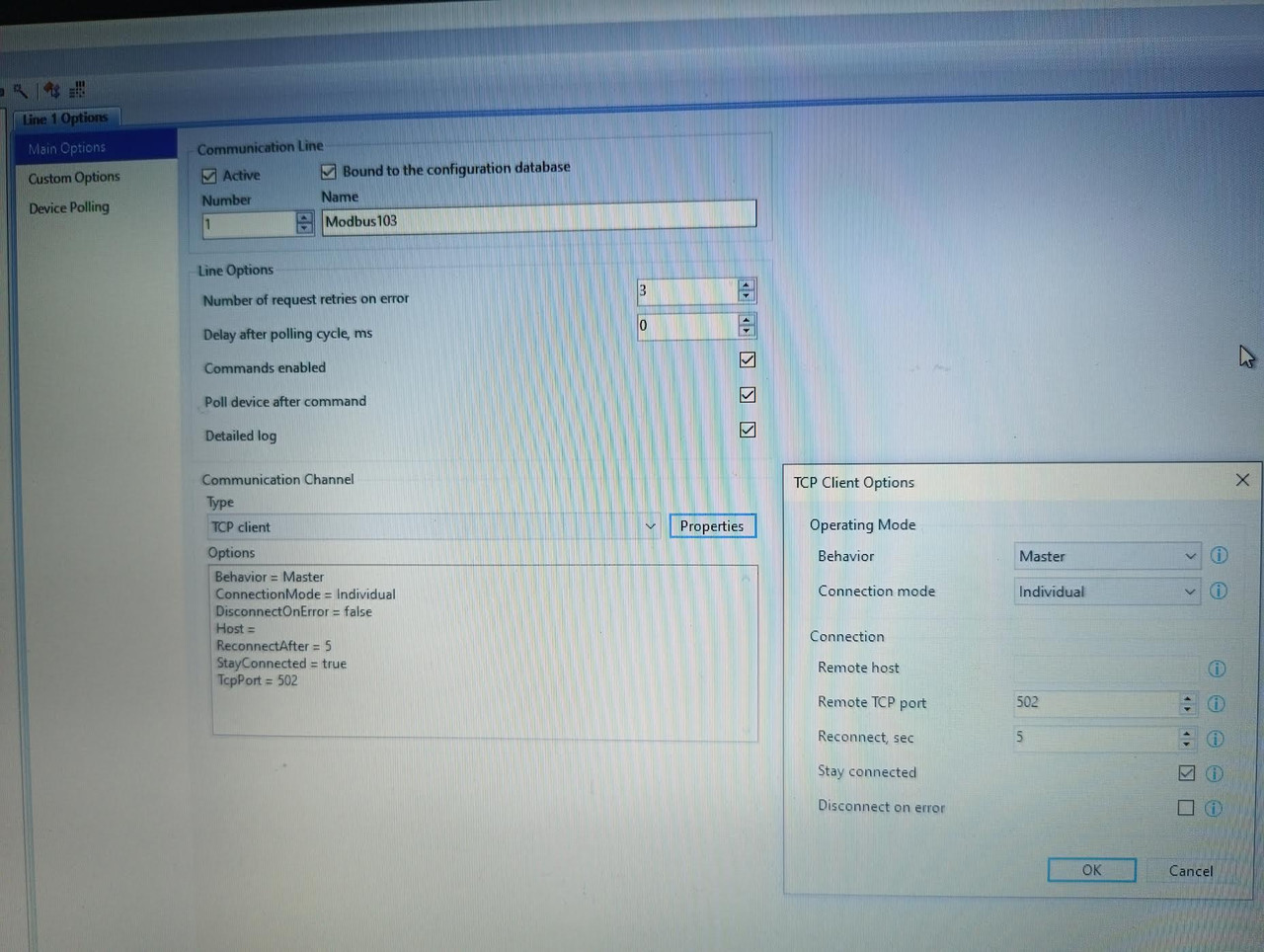
ParticipantSome more photos of the config:
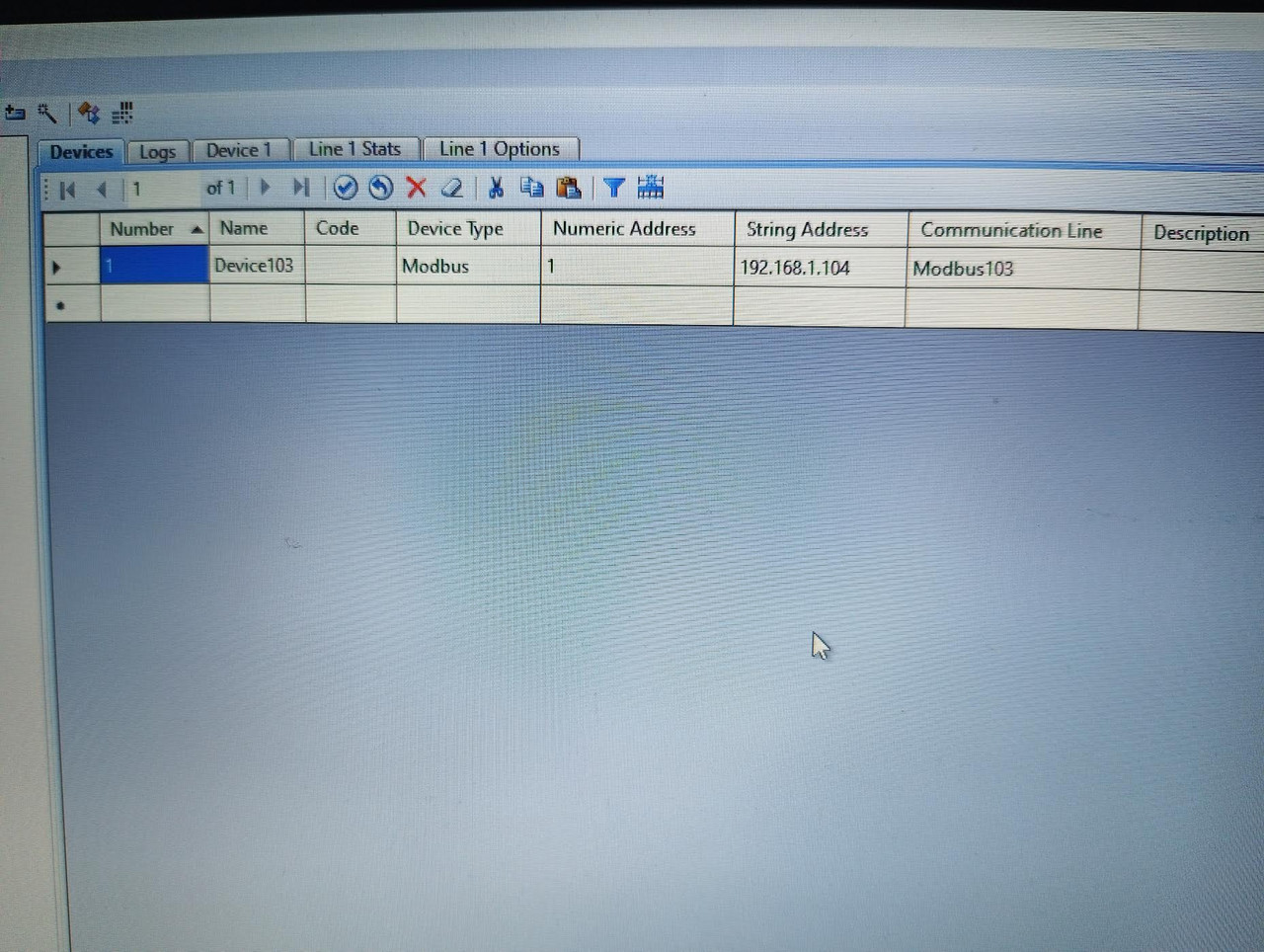
Device config:
https://i.postimg.cc/C5xgCFhW/image.jpgLine Main options:
https://i.postimg.cc/gJYFdYZr/image.jpg(Don’t worry about the 103…104 numbering, after getting errors, I tried with the next physical Device (103 -> 104), but did not change the project/device name, etc. Only the IP)
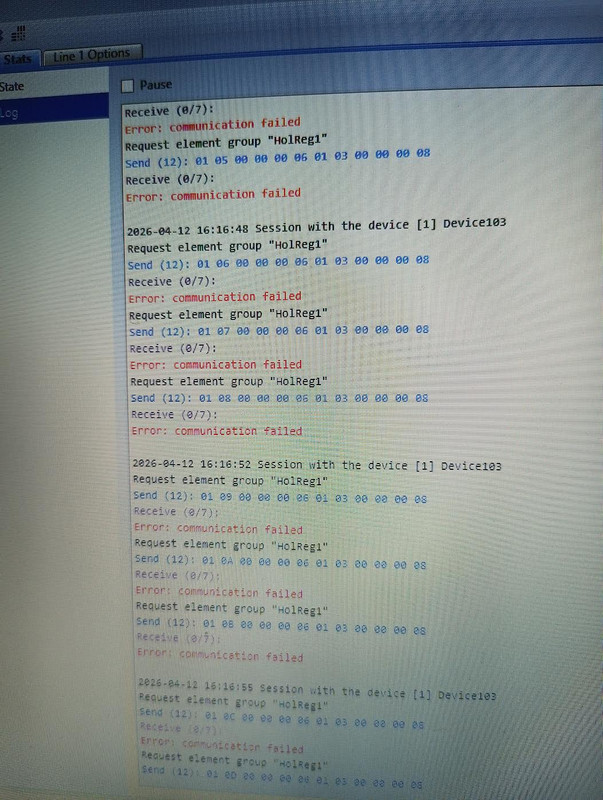
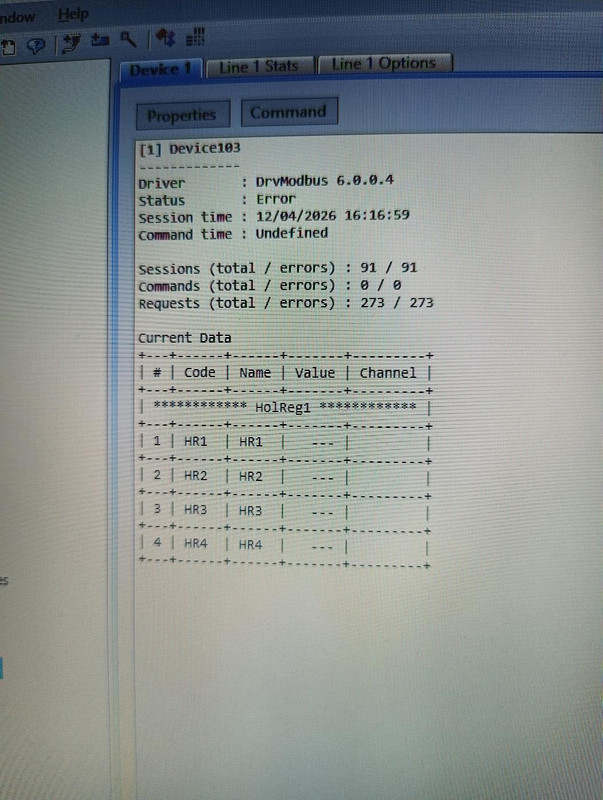
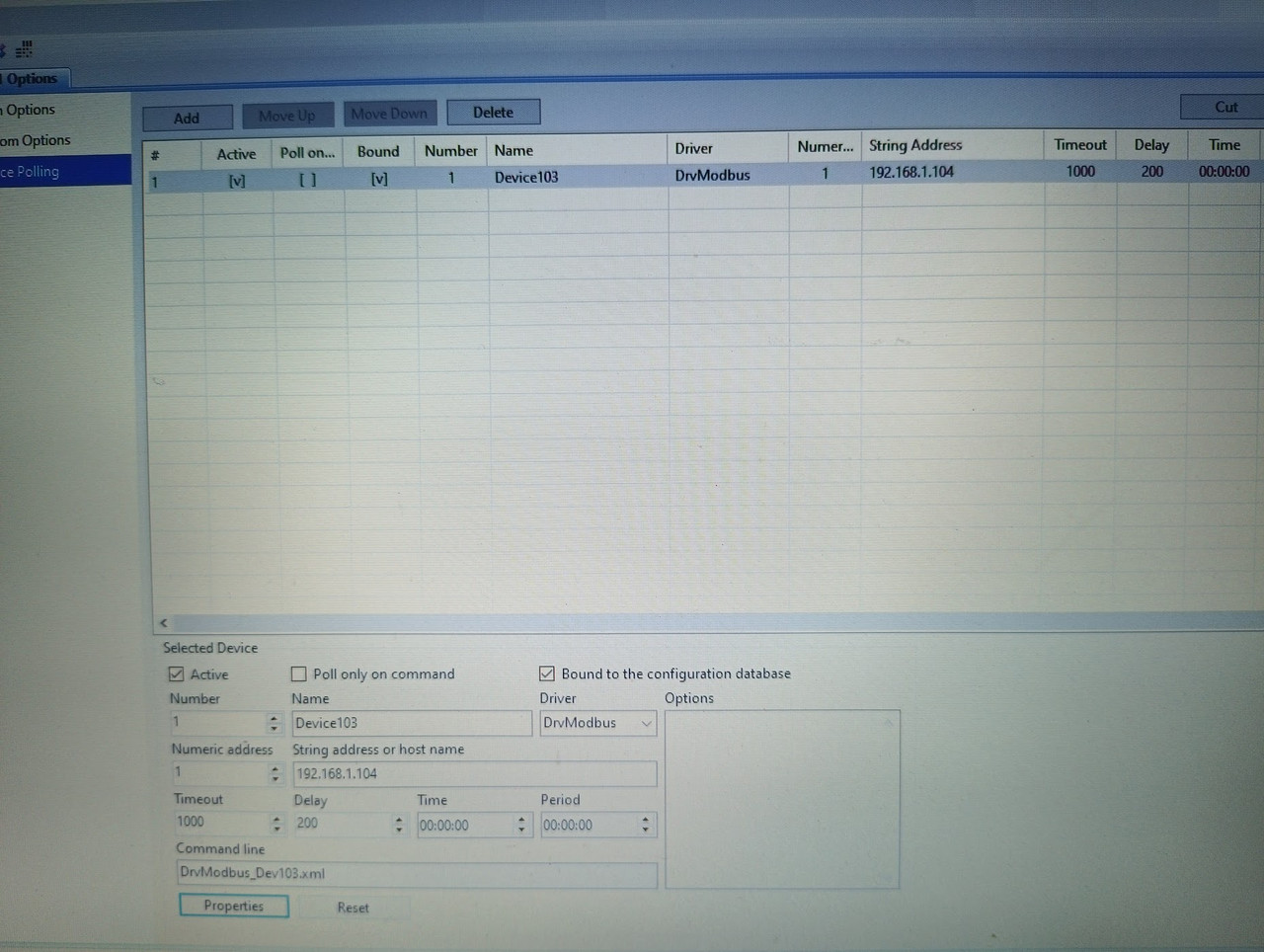
ParticipantHello, here are the photos:
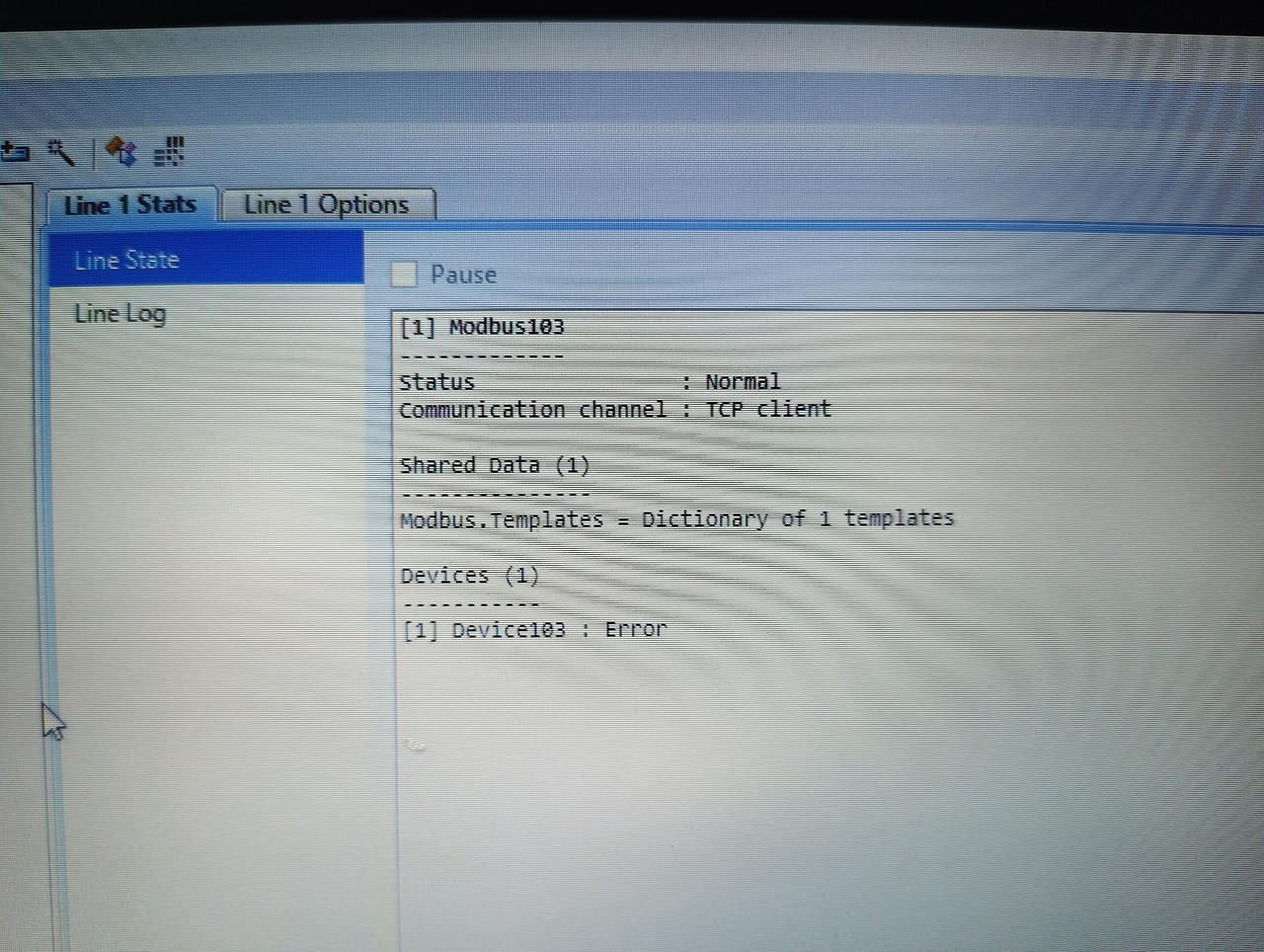
Line state:
https://i.postimg.cc/vH2Nx8Fz/image.jpgLine log:
https://i.postimg.cc/FHfnythK/image.jpgDevice:
https://i.postimg.cc/FK3W6jfw/image.jpgDevice polling:
https://i.postimg.cc/0QvW1bDP/IMG-20260412-161625-765-jpg-adding.jpgI am guessing it is just some silly mistake from me..
-
AuthorPosts