Forum Home › Forums › Communicating with Devices › Modbus › Error Communication Failed
Tagged: modbus error communication
- This topic has 33 replies, 4 voices, and was last updated 6 months, 1 week ago by
 Mikhail.
-
AuthorPosts
-
April 11, 2026 at 10:33 pm #17816
Gabor
ParticipantHello
I am new to this, and would need some more help: I try to read a device using modbus TCP. I can ping the device, but cannot read any registers from it. Whatever I try, I get Error: Communication Failed message in the Line Log/Stat. With localhost + ModbusSimulator the project is working, but as soon I try to connect to this device, I got error. I read it somewhere here in another topic/comment that the Byte Order can affect this..? Or it has nothing to do with Communication errors.. I tried many things: connected directly, disabled firewall, and yes – watched the modbus videos, etc.
Any advice would be appreciated. Will upload photos and logs tomorrow. Thanks, GaborApril 12, 2026 at 9:10 am #17817 manjey73Participant
If you don’t see any bytes transmitted from the device in the log, then there is a problem with the connection.
April 12, 2026 at 9:27 am #17818ParticipantThank you for your reply. This is what I am thinking too.. Unfortunately can’t figure it out what the problem can be. Changed the IP address from localhost to the device IP in the project file (in 2 places), is there anything else to do? Target Device responses to ping and also tested port 502 with telnet command. Direct connection with lan cable, firewall off.
April 12, 2026 at 9:45 am #17819manjey73Participantshow the log of a specific device. what data goes into it. is the device responding or just a timeout error?
show the line and device settings.
April 12, 2026 at 9:46 am #17820manjey73Participantand actually show the device configuration in the configuration database.
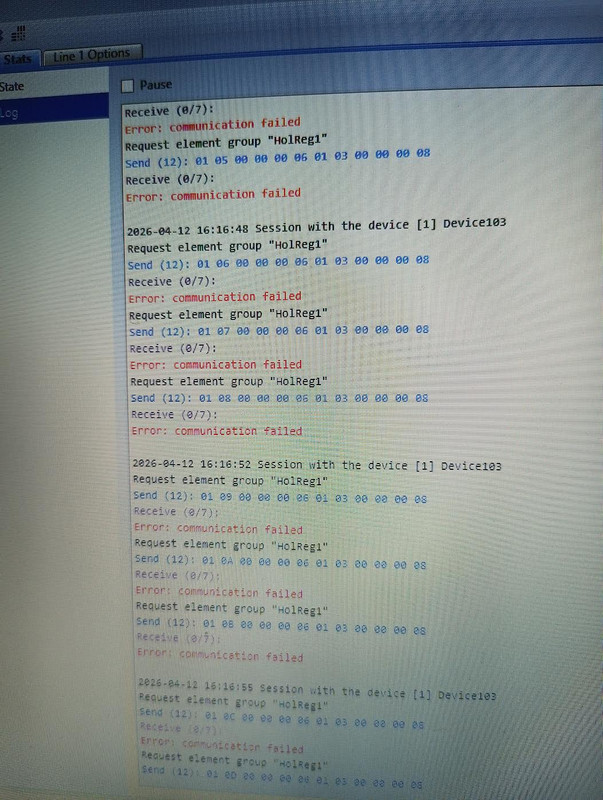
April 12, 2026 at 9:53 am #17821ParticipantNo,it looks like it does not respond at all (sending data continuously but 0 response). I started all from zero as shown in the modbus video and all worked with the simulator, however not worked on a real device. Will attach files in the afternoon as I am currently not near the setup.. Thanks in advance
April 12, 2026 at 3:24 pm #17822ParticipantHello, here are the photos:
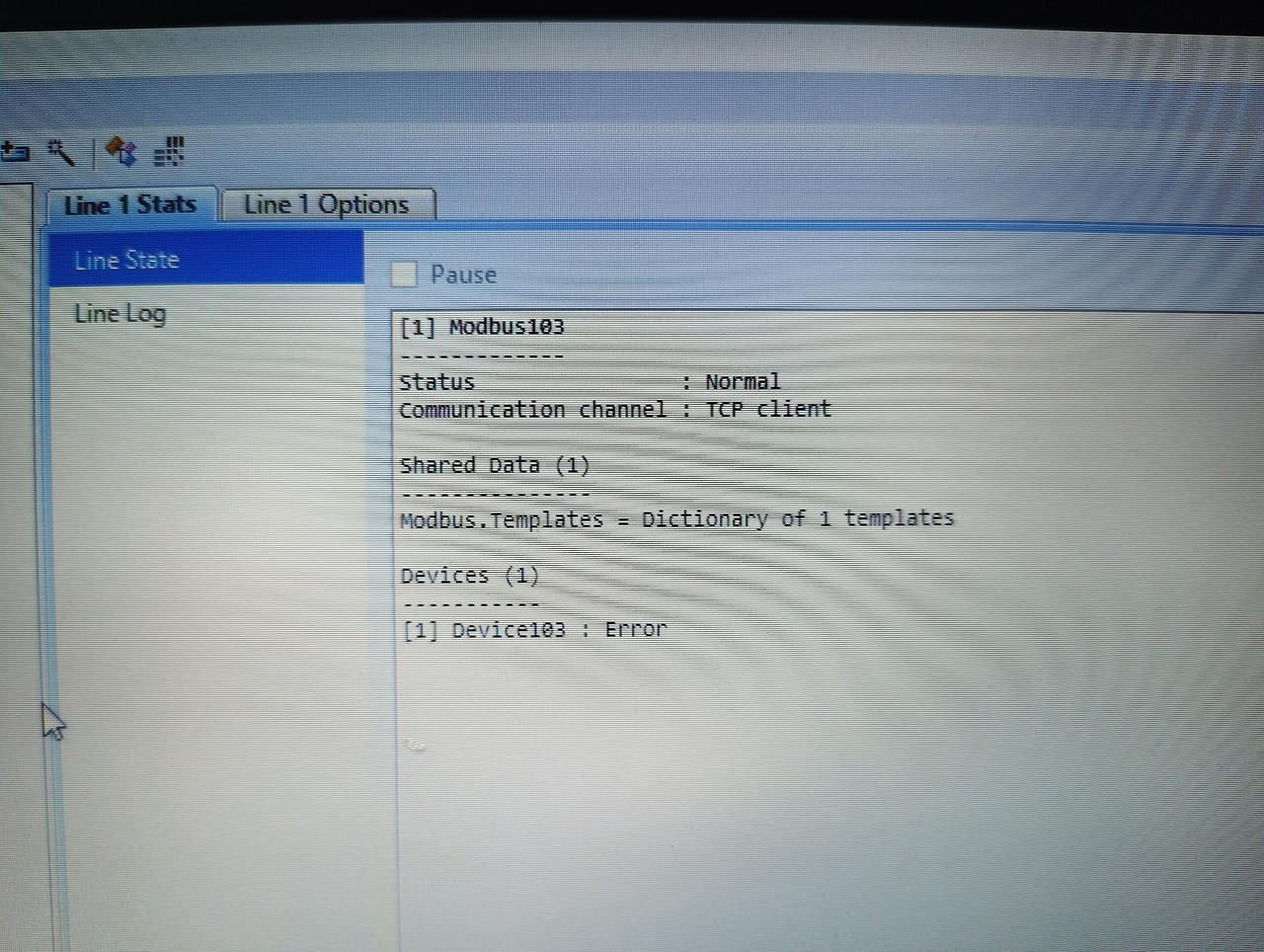
Line state:
https://i.postimg.cc/vH2Nx8Fz/image.jpgLine log:
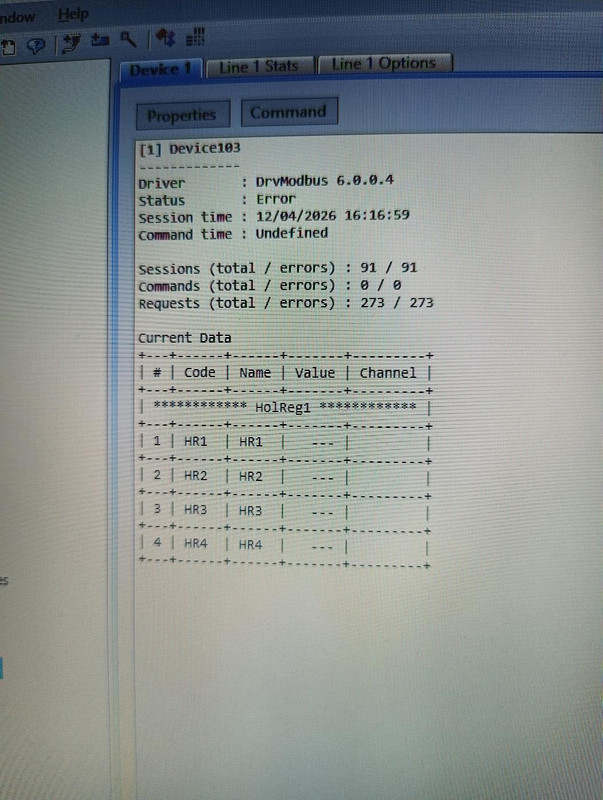
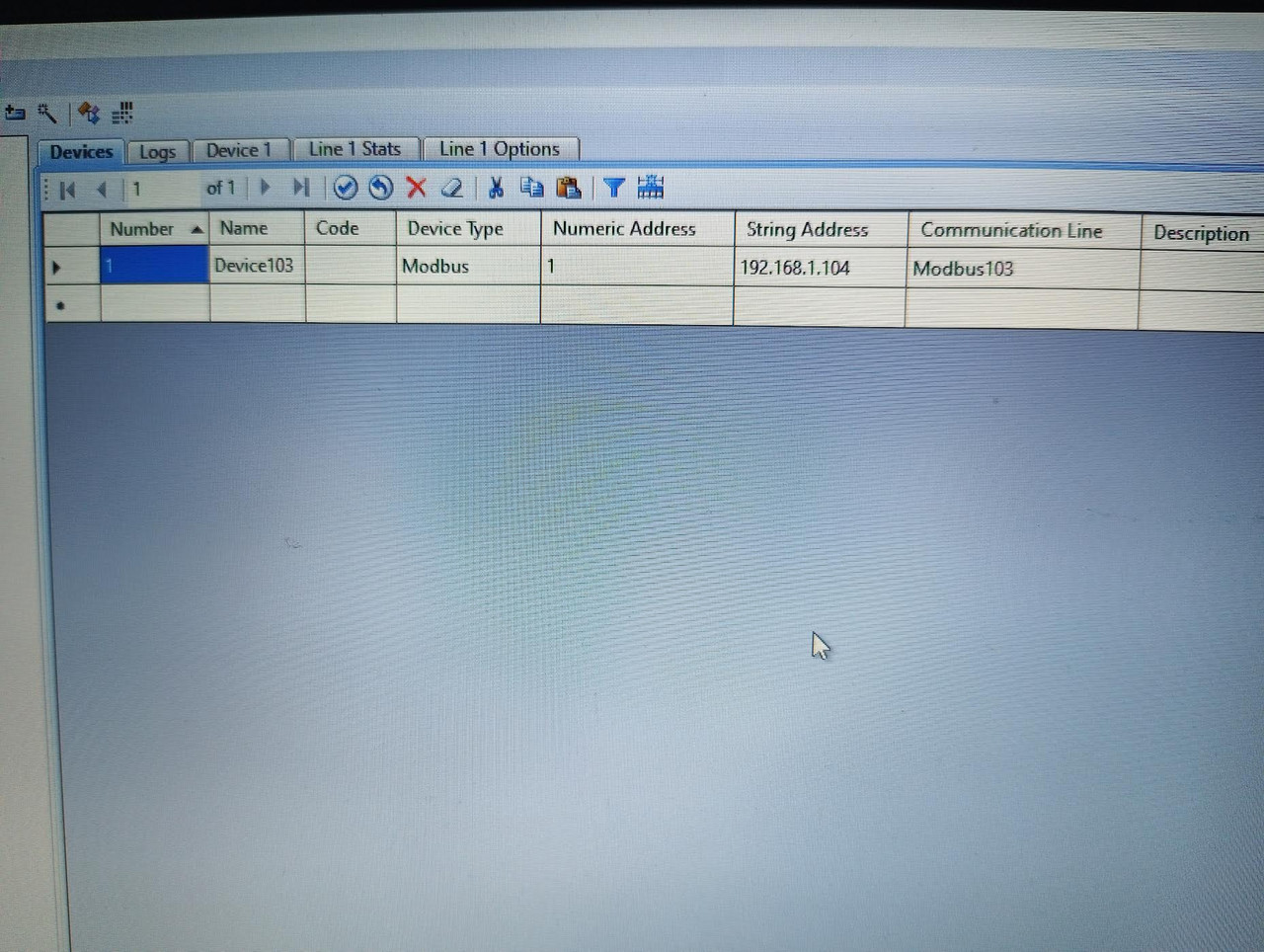
https://i.postimg.cc/FHfnythK/image.jpgDevice:
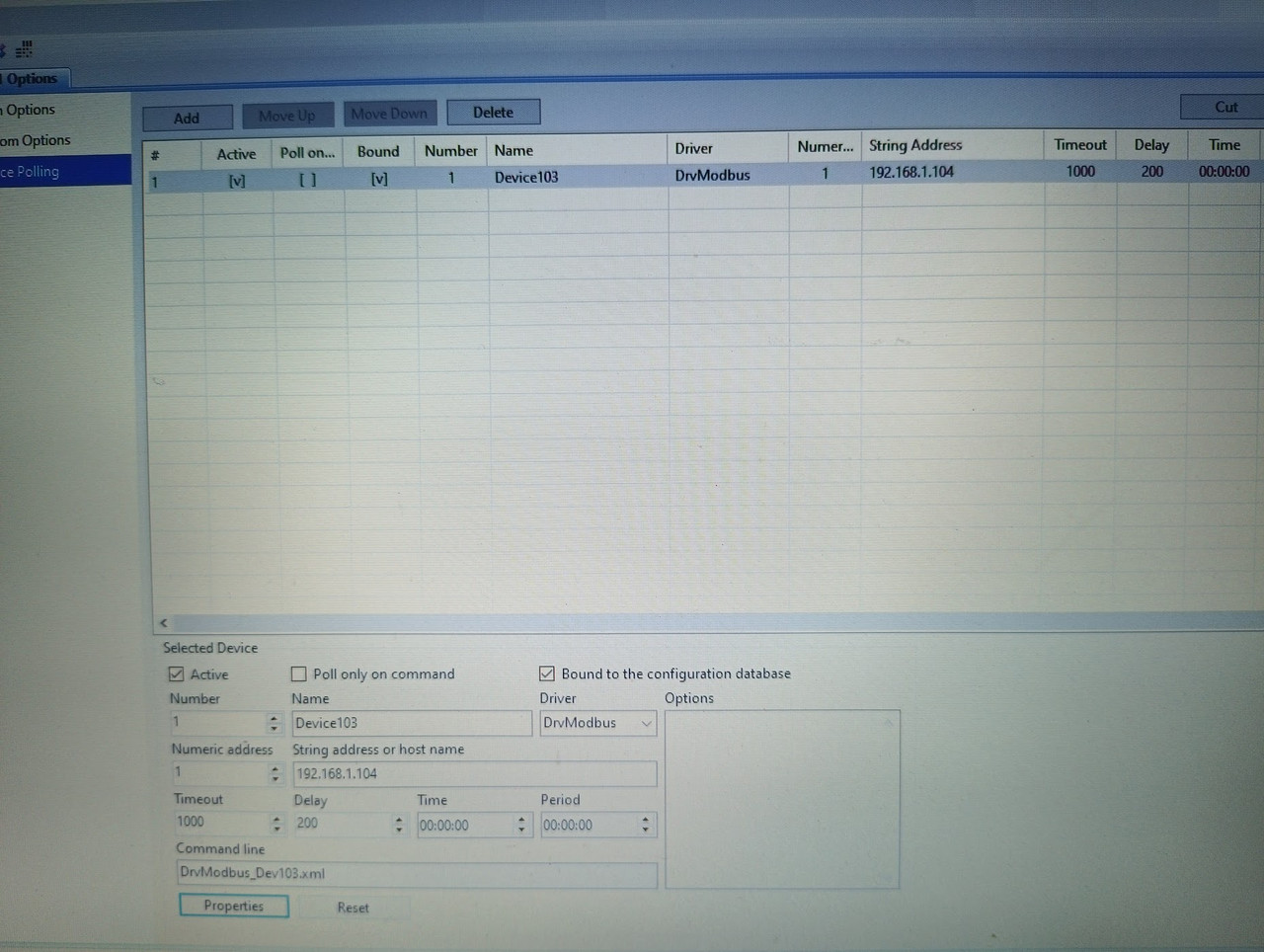
https://i.postimg.cc/FK3W6jfw/image.jpgDevice polling:
https://i.postimg.cc/0QvW1bDP/IMG-20260412-161625-765-jpg-adding.jpgI am guessing it is just some silly mistake from me..
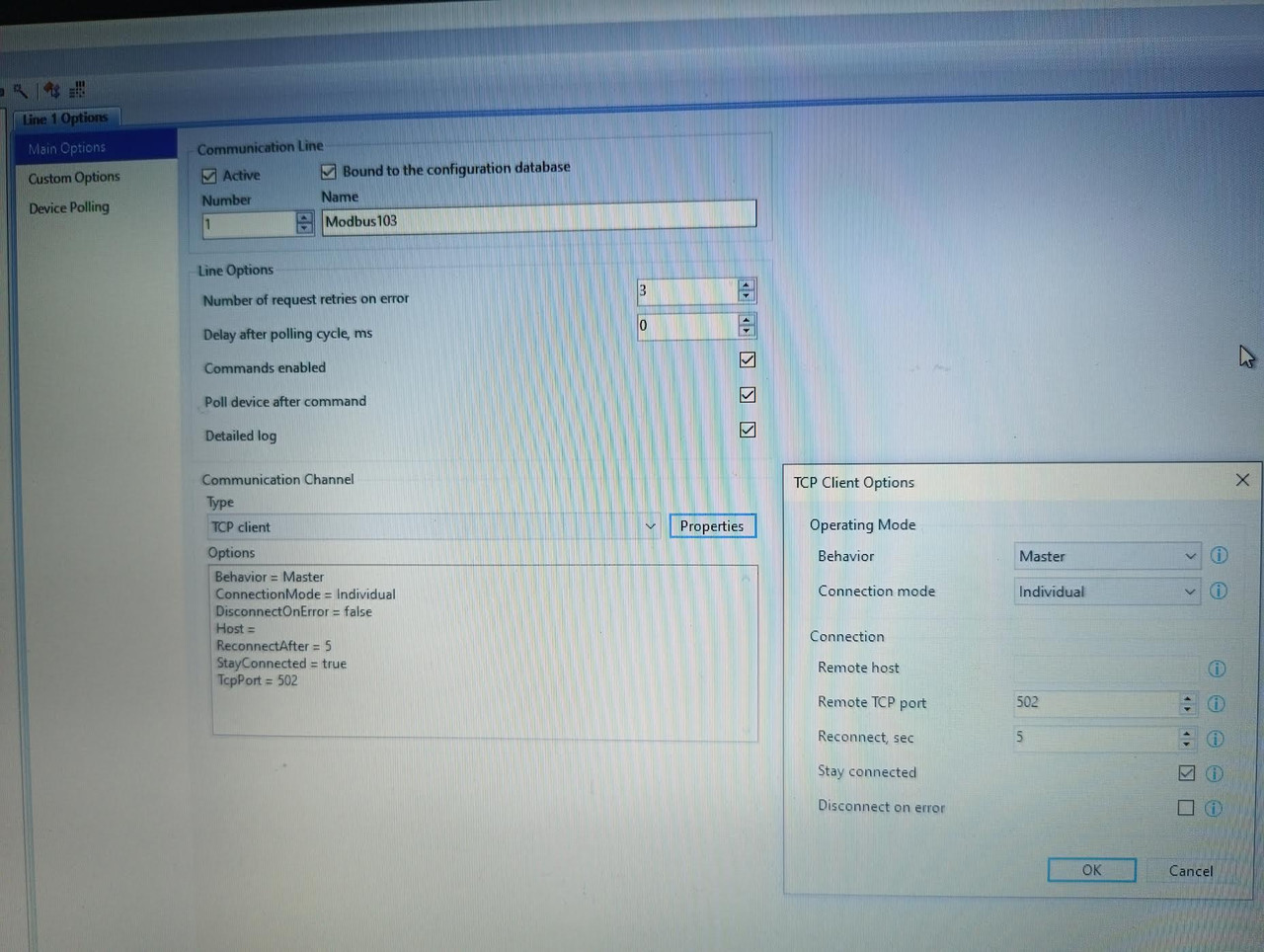
April 12, 2026 at 3:36 pm #17823ParticipantSome more photos of the config:
Device config:
https://i.postimg.cc/C5xgCFhW/image.jpgLine Main options:
https://i.postimg.cc/gJYFdYZr/image.jpg(Don’t worry about the 103…104 numbering, after getting errors, I tried with the next physical Device (103 -> 104), but did not change the project/device name, etc. Only the IP)
April 13, 2026 at 5:48 am #17824manjey73ParticipantDisabling the firewall does not mean that packets will be skipped.
April 13, 2026 at 5:57 am #17825ParticipantYeah.. I will try next to get more info with Wireshark.
April 13, 2026 at 6:01 am #17826manjey73ParticipantAnd start with one register, specifying in the settings to start with 0 or 1. Do you also have the exact device address = 1 ? Depending on the device, the device ID may be ignored in Modbus TCP mode, or it may have to correspond to some value.
April 13, 2026 at 6:30 am #17827ParticipantYes I tried with one register,and had same result. Thanks, I will try to change the device ID,maybe it is not 1. I assume I should change the Numeric Address in the device settings.. The device itself has Zero based Addresses, starting with a 32bit unsigned integer for Timestamp,the other holding registers are float type. Requesting the wrong type,address,etc. could also cause “Error:Communication failed” message?
April 13, 2026 at 10:25 am #17829manjey73ParticipantYes, if the address requires 0 for the device, this may be the reason. Another option is to send a broadcast address to the device – 254 or 255 in Modbus mode when it is connected to TCP. Such things should be specified in the device documentation.
April 13, 2026 at 10:51 am #17832ParticipantUnfortunately I am not familiar with sending broadcast address,etc. The device documentation is very poor,or lets say simple (as per above): Zero Based Addresses for Holding registers (I received the register mapping), static IPs for the devices. But I think I have to dive deeper into this.
April 13, 2026 at 12:04 pm #17834 MikhailModerator
Hi,
According to the communication line log you can successfully connect to the device by IP, but it is not responding.
I suppose the device ID (unit ID) is wrong as written above. Most common are 0 and 1.
Use https://rapidscada.net/modbus/ to decode data packets. It is useful for understanding. -
AuthorPosts
- You must be logged in to reply to this topic.